Orbitrio helps prepare and organise visa applications. It does not replace registered migration advice or government decision-making.
01New referralAvailable
Start with the client's story already organised.
A referred client arrives with their profile, points position and documents in one summary.
RS
R. SharmaRegistered Nurse · ANZSCO 254411 · Onshore
Strong match
Points estimate0 pts
GoalSkilled PR
EnglishSuperior
Experience8+ years
Documents organised6 of 7
1 flag: overlapping employment dates (2019 to 2020). Clarify before lodgement.
02Choose the visaAvailable
You compare the options. You make the call.
Orbitrio prepares eligibility and points for each pathway. The decision stays with you.
Skilled IndependentSubclass 189 · Permanent
No nomination needed. Competes on points alone at 85.
Skilled NominatedSubclass 190 · Permanent
State nomination adds 5 points, taking the client to 90.
Selected by agent
Skilled Work RegionalSubclass 491 · Provisional
Regional nomination adds 15 points. Kept as a backup.
AI prepares the comparison. You decide.
03Intake preparedIn pilot
An intake built for this visa and this client.
Earlier answers carry over, so the client only sees what is still needed.
Subclass 190 · Intake plan9 items
Personal and travel detailsReused from assessment
English test resultReused from assessment
Skills assessment (ANMAC)Reused from assessment
Employment referencesClient to upload
Police certificate, United KingdomClient to request
Police certificate, IndiaClient to request
+3 more itemsSent to client with guidance
04Client guidanceIn pilot
Your client gets clear steps. You see the progress.
Client view · Manchester, UK
Apply through ACRO, which issues UK police certificates for visa applications. Have a passport copy and a recent photo ready, then upload the certificate here when it arrives.
GOV.UKACRO
Your case viewPolice certificate, United Kingdom
R. Sharma · Subclass 190
OutstandingRequested by client
05Ready for reviewIn pilot
Evidence comes in ready for your review.
7/9
Application preparation2 items waiting for your review
PassportVerified
IELTS 8.0Matches profile
Police certificate, UKNeeds review
Employment reference ADate conflict
Automated follow-ups · Planned
Prepared clients
Start every case with
a prepared client.
Referred applicants arrive with a structured summary of their background, goals and early eligibility. Your existing clients can complete an intake before they meet you. Either way, the first conversation starts with context instead of a blank form.
How clients reach you
Ready before the first call
Background and goals
Early eligibility
Points position
Documents shared so far
MT
M. TranSoftware Engineer · Offshore
Good match
Agent-ready summary
BackgroundBachelor's in computer science, 6 years in software roles
GoalWork in Australia, open to employer sponsorship
Early eligibilitySkills in Demand (482) worth exploring, subject to your review
Documents sharedPassport, CV, degree certificate
Summary readyView caseAccept
The client has authorised sharing their profile with your practice.
Invite L. Costa to complete an intake
Their answers become a new case in your workspace.
Email
WhatsApp
Copy link
Intake link sent on WhatsApp
LC
L. CostaStudent visa holder · Intake in progress
Study historyCourse detailsEnglish testDocuments
New case · Self-onboarded
Ready before Thursday's consultation
Guided application intake
Choose the visa. Orbitrio prepares the intake.
Pick a visa below. Orbitrio carries over what the client already told you, drafts the questions and documents that visa needs, and explains each one to the client in plain language.
1You choose the visa
2Already known
3Intake plan
4What your client sees
Proactive follow-ups
Follow-ups that keep cases moving.
Orbitrio watches each case for missing evidence, unanswered questions, expiring documents and approaching deadlines. It drafts the reminder, sends it by WhatsApp or email, and links the reply back to the case.
Your practice rules
Choose what sends on its own
Planned
Reminder types
Every reply stays linked to its case
APA. Patel · Subclass 190
Works with your tools
Keep your system.
Orbitrio fits around it.
Connect Orbitrio to your CRM or case-management system so client details, case stages, appointments, tasks and document status are shared. Nobody keeps the same information in two places, and you don't have to replace what already works.
Planned
CRM and case management
Client details, case stage, assigned agent, tasks and document status stay in step.
Planned
Email
Reminders go out from your practice address, and replies are filed on the right case.
Planned
Calendar
Consultations booked in your calendar appear on the case, ready for the call.
Planned
WhatsApp and messaging
Client messages land on the case they belong to, next to the evidence they're about.
One workspace
Every case, one clear view.
See who is waiting on a client, what needs your review and what should happen next. Orbitrio points out the cases that need attention, so you don't have to open each one to find the problem.
Caseload
8 active cases
ClientStatusNext stepProgressWaitingOwner
Planned3 agentsJ. Lee 14 · P. Singh 11 · M. Rossi 9 cases2 overdue tasks4 ready to lodge
Inside the workspace
A full case, from login to lodgement
Accept a request, share a secure questionnaire or run it yourself, then generate the eligibility position, the pathway and the lodgement forms.
1 / 14
Welcome
Orbitrio.AGENT WORKSPACEOne workspace, the whole case.1:36
Loading the walkthrough…
The agent workspace, from first login to lodgement-ready forms.
Illustrative walkthrough. Client names and case details are examples only.
Availability
What's live, and what's next.
Some of what you've seen on this page is in use today, some is being tested with pilot practices, and some is still being built. Here is where each part stands.
Available
Available now
In use by pilot practices today
Referral summariesMatched clients arrive with their profile, points position and documents.See it above →
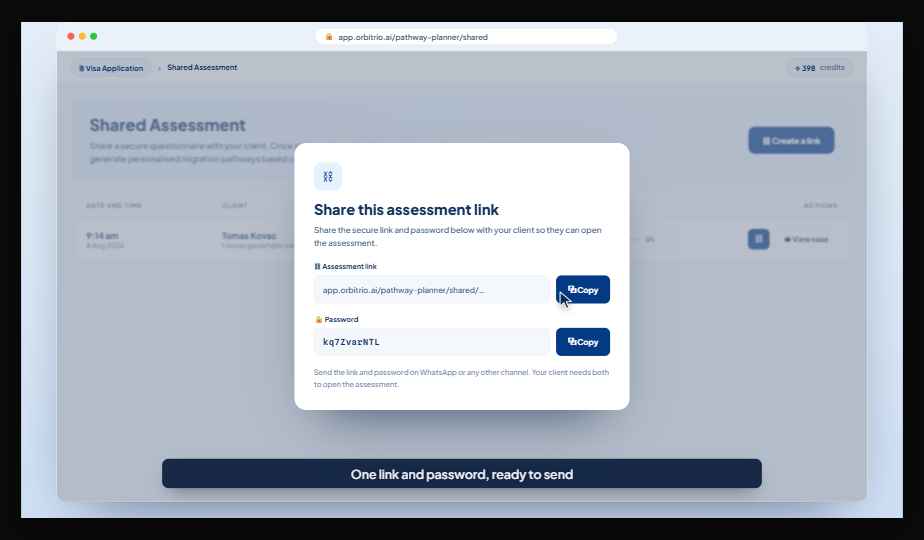
Client intake linksInvite existing clients by email, WhatsApp or a copied link.See it above →
Points and pathway comparisonCompare visa options for a client before you choose one.
Document consistency checksDates, names and figures compared across the document set.
In pilot
In pilot
Working with a small group of practices
Visa-specific intakeQuestions, checklist and document plan built for the visa you choose.See it above →
Location-aware client guidancePlain-language steps for where your client lives, with official sources.See it above →
Caseload viewEvery case with its status, next step and flags in one list.See it above →
Planned
Planned
On the roadmap, not yet released
Proactive follow-upsReminders for missing evidence and deadlines, sent by your rules.See it above →
CRM and case-management syncClient details, stages and document status shared both ways.See it above →
Email, calendar and WhatsAppMessages and bookings filed on the case they belong to.See it above →
Team view and practice reportingWorkload by agent and progress across the practice.See it above →
No. Orbitrio organises client information, prepares material and guides clients through what to collect. You decide which visa a client pursues, you review the evidence and you give the advice. Orbitrio does not make decisions for you or your clients.
Does Orbitrio replace my CRM?
No. Orbitrio is designed to work next to the system you already use. Two-way sync with CRMs and case-management systems is planned, so client details, case stages and document status won't need entering twice. Until then, you can use Orbitrio alongside your current tools.
Which messages are sent automatically?
Automated follow-ups are planned, not released. When they arrive, your practice will choose for each type of reminder whether it sends on its own or waits for your approval. You can change that choice at any time.
Can my clients use WhatsApp?
You can share an intake link with a client by WhatsApp, email or a copied link today. Sending reminders by WhatsApp and filing the replies on the case is planned.
Who checks the guidance my clients see?
Guidance explains what a requirement means and where to get a document. It draws on official sources such as Home Affairs, legislation, assessment bodies and document-issuing authorities, and shows the source next to the answer.
It is general information, not personalised immigration advice. You review what your client provides and give the advice.
What is in a referral case summary?
The client's background, goals and current situation, their early eligibility and points position, the pathways they explored and any documents they have shared. Inconsistencies, such as overlapping employment dates, are flagged. You see the full summary before you accept the referral.
How is client information shared with my practice?
Only after the client authorises it. Referred clients agree to share their summary with the practice they are matched to, and clients you invite share their intake when they complete it. Information is handled under our Privacy Policy.
Who can join the pilot?
Registered migration agents and Australian legal practitioners. Places are limited. Pilot practices use the features marked In pilot with their own clients and give feedback on the ones still being built.
Bring Orbitrio into your practice
Get briefed referrals, model every scenario and run the whole case in one workspace. Trial the agent workspace free and see a real case flow before you commit.